This is not some master guide to AI video. AI is still AI. Sometimes it looks amazing, sometimes it totally falls apart. But there are a few simple things that can make your work stand out from the low effort one-shot prompt stuff.
Most bad AI video is bad because people use the tools in the laziest way possible. Vague prompt in, weird shiny nonsense out. If you want better results, you have to guide it a little.
Use reference images you actually made or curated
If you are not using reference images, you are missing the best part of the process. They help the model understand setting, mood, style, subject, and feel way better than words alone.
Using references you created or carefully chose is what starts turning slop into something that actually feels like art. Even if a viewer cannot explain why, they can usually feel the difference.
Anyone can type a lazy prompt and hope for something cool. But when you bring your own photos, your own mockups, your own curated visual ideas, the work starts feeling authored. It starts feeling like you made choices.
Use photos you took. Use images you built. That is how the output starts to feel like yours.
With video, good references matter even more because the look has to hold up through motion too.
Words help. Images guide.
Say I want to make a short hiking shoe video. I have:
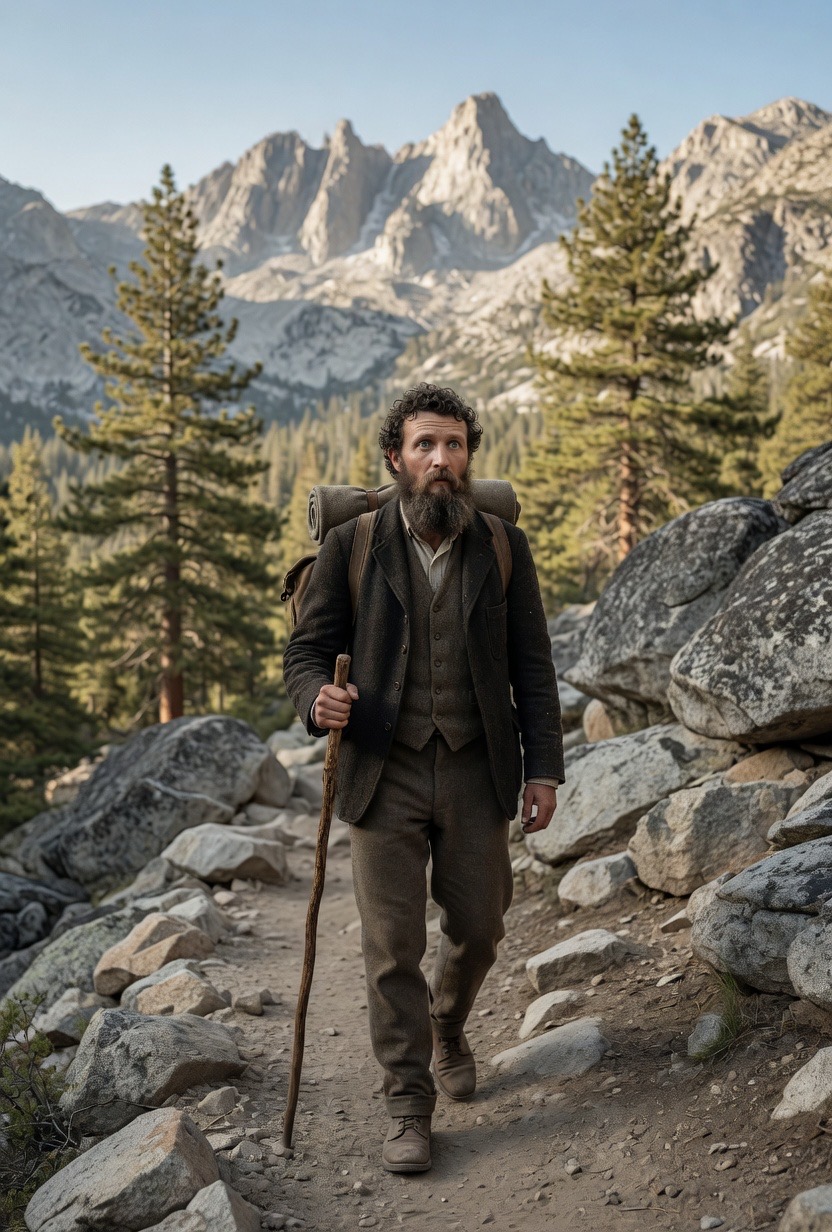
- an image of John Muir as my model, generated from an actual portrait, which took a few iterations
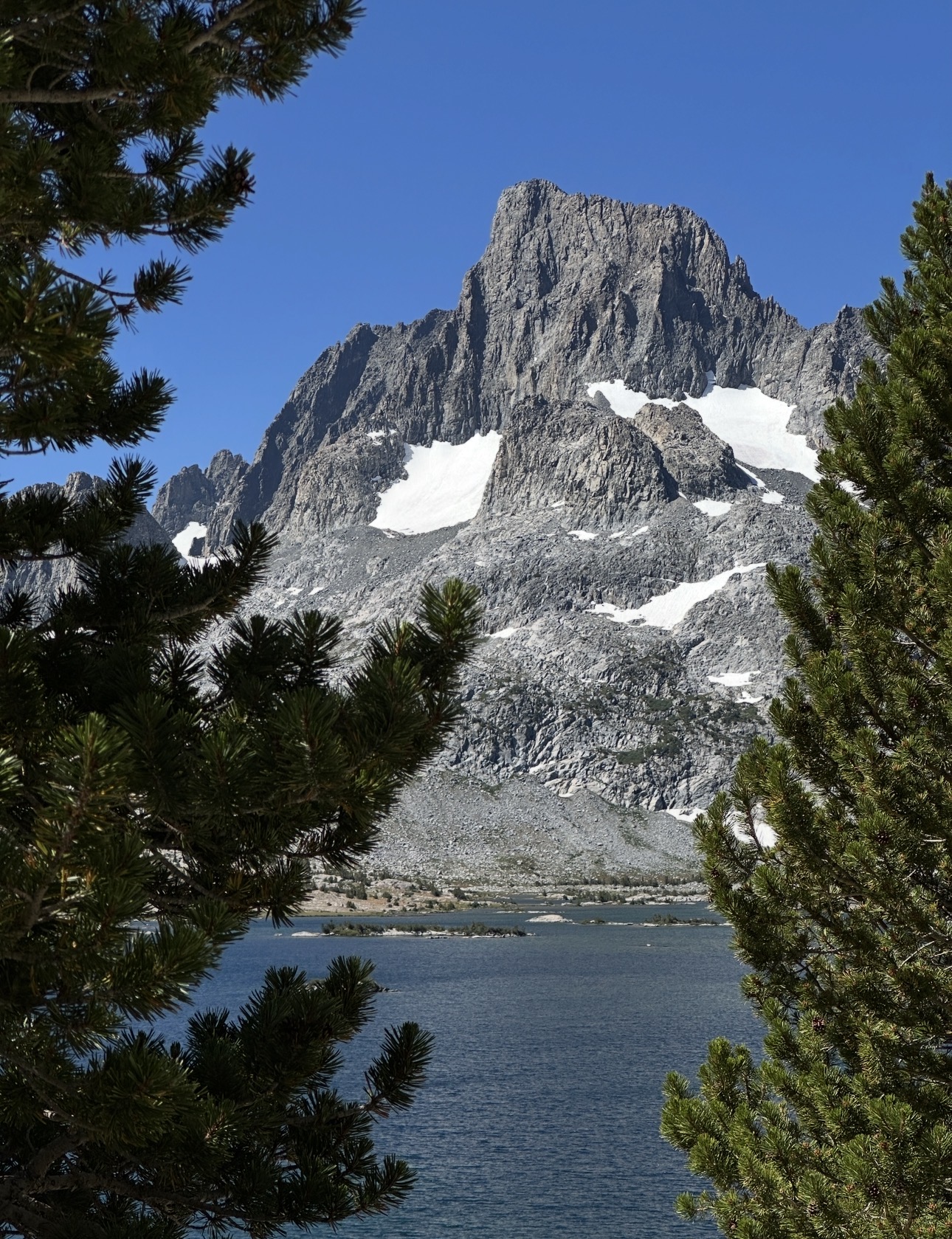
- a scenic shot of Banner Peak in the Sierra, shot backpacking on my phone
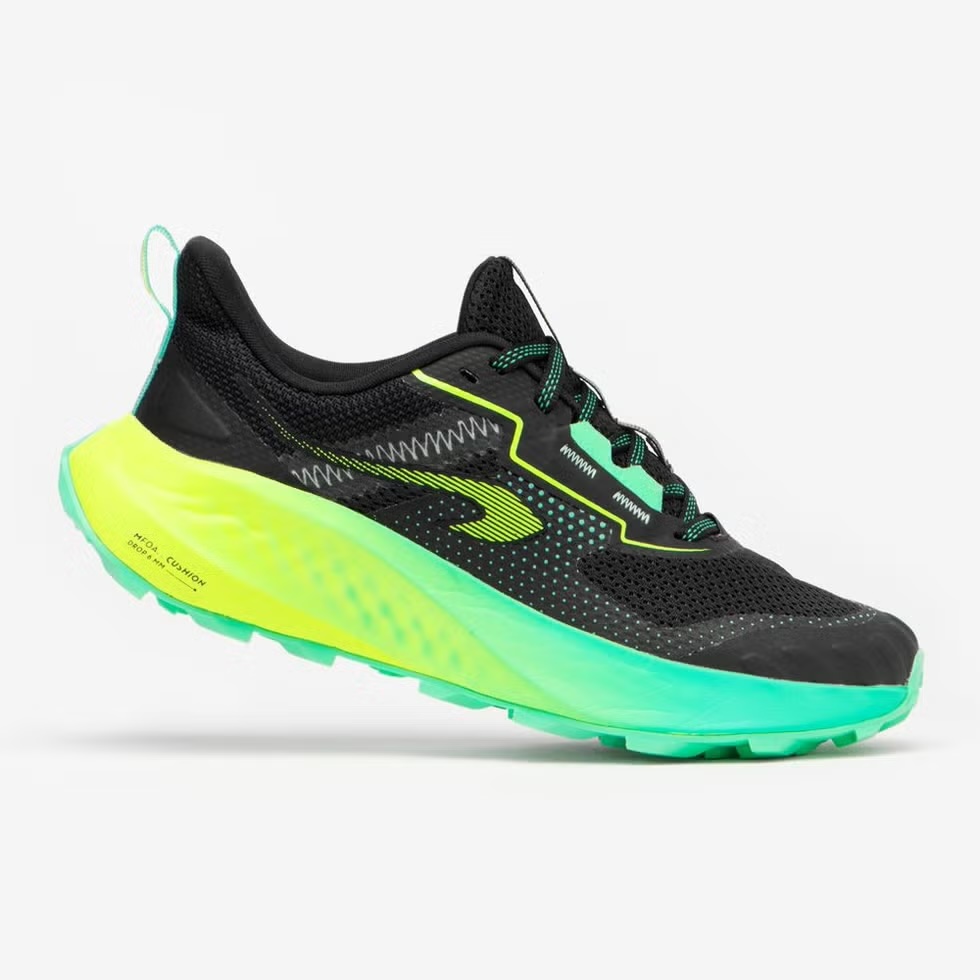
- a product screenshot of the trail running shoes
Now I am not forcing one random image to do everything. I have real pieces to build from.
One reference is fine if you build a strong composite key frame
Some models let you use multiple references. Some only let you use one. Multiple is usually better, but one can still work well if you first build a strong composite key frame.
That is one mocked-up still image built from your different references. Take your subject, product, and location, combine them into one frame, and use that as the visual anchor for the video.
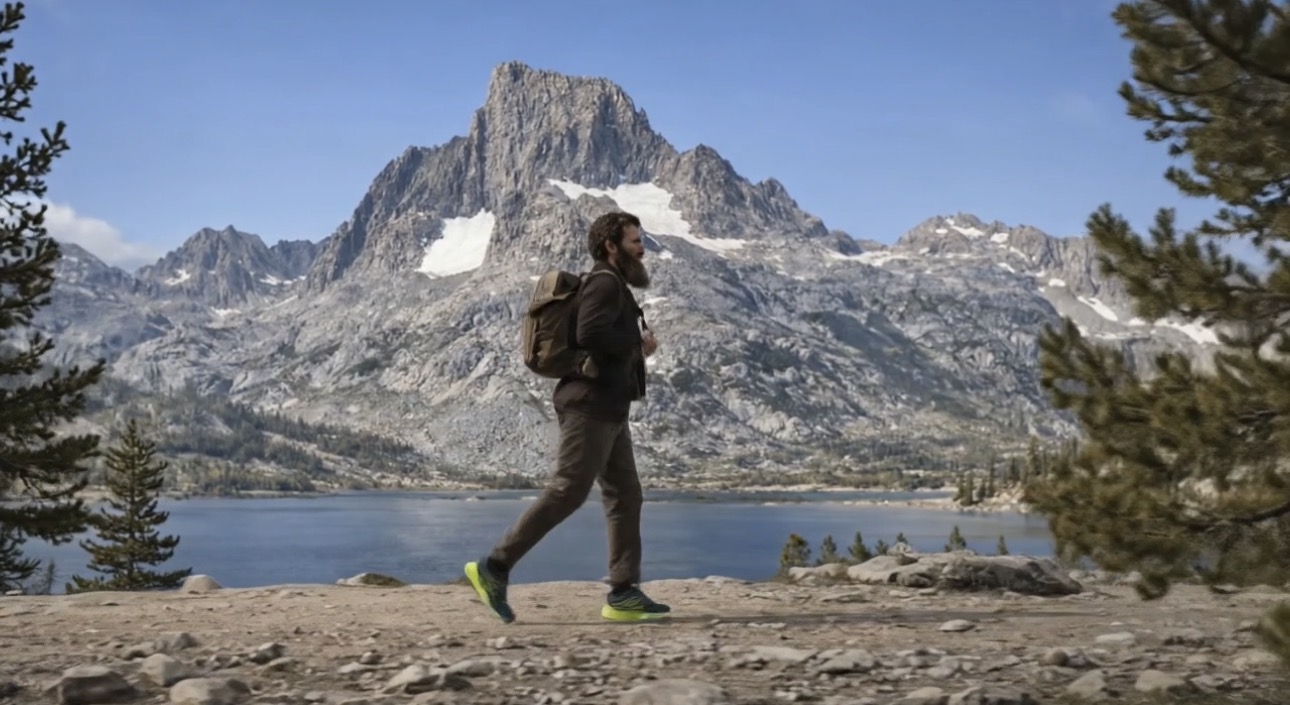
I was using google/veo-3.1, and it handled this really well. Prompt adherence was strong, and it respected the reference better than most models do.
I built a single establishing key frame from:
- my John Muir image
- my Sierra photo
- the shoe product shot
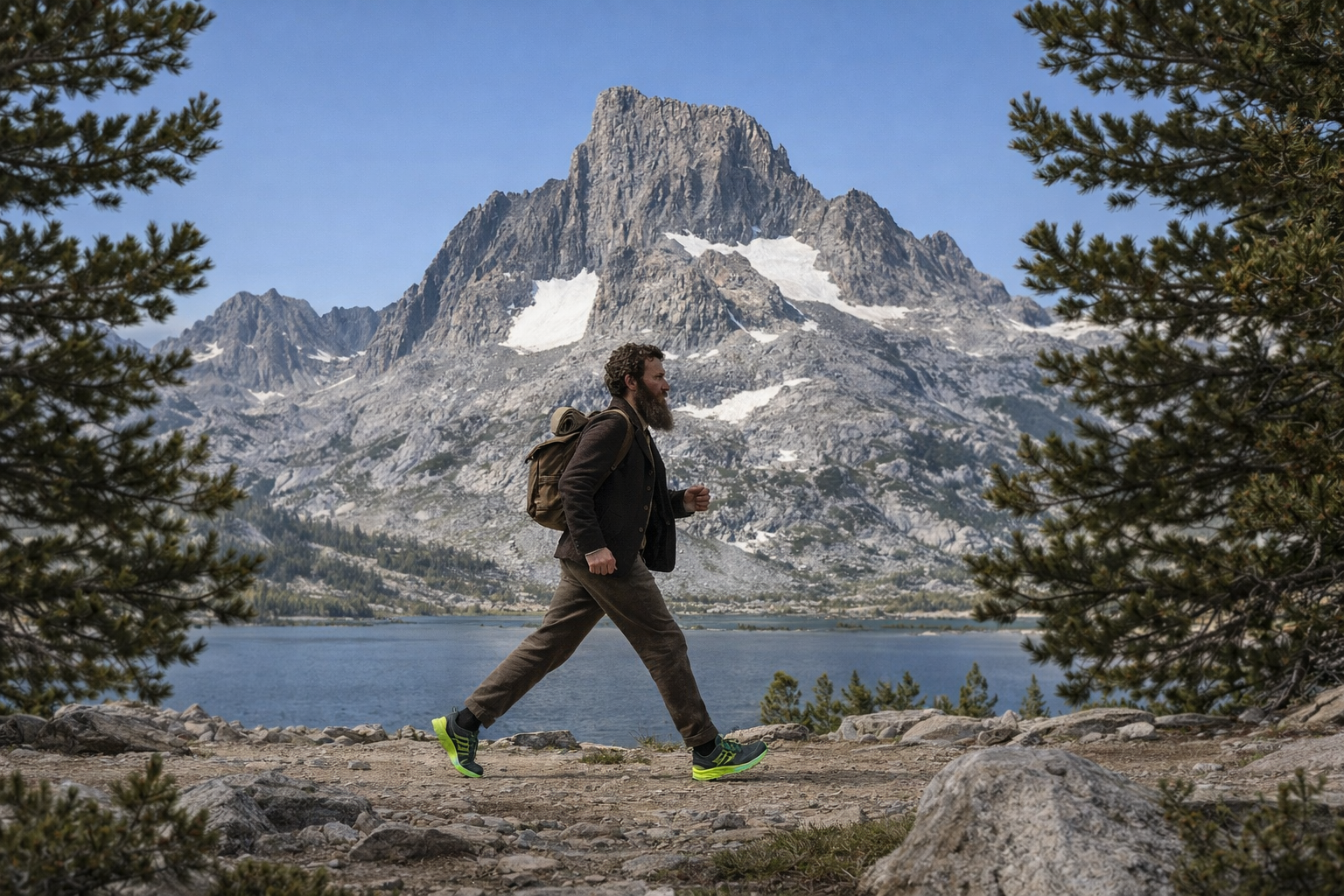
The prompt for that key frame:
Create a key frame for a scene: Static 16:9 key frame, shot on a iPhone 16. A trail runner (John Muir) appears off in the distance in the Sierra, moving perpendicular across frame. Perfectly squared-off, symmetrical composition with subtle Wes Anderson influence. Mount Banner is cleanly framed in the background. The runner's shoes are the visual highlight and should stand out naturally. Crisp, cinematic, still, polished, realistic.
That one frame did a lot of work. It gave the model the world, the tone, the composition, the subject, and the product focus all at once.
The reference does not have to be the literal shot
A lot of people treat the reference like the final shot has to be exactly that image with motion added. That is usually where things start feeling flat.
The reference is not always the shot. Sometimes it is just the world.
The composite key frame was not the whole video. It was the visual anchor. It told the model what world we were in, what the composition felt like, what the mood was, and how grounded everything should be. Then the actual video pulled different shots from that same world.
Do not prompt: animate this exact image.
Prompt: use this image to understand the world, then create the shots inside it.
Build a shot list from the reference
Once the key frame was working, I built a short shot list from it. That is where this starts feeling more like directing and less like gambling.
Three shots:
Shot 1
Use the reference image as the visual anchor. Static 16:9 iPhone 16 shot, subtle Wes Anderson symmetry. The trail runner appears small in the distance, moving perpendicular across frame through the Sierra. Mount Banner is perfectly framed in the background. Clean, natural motion, crisp realism, shoes subtly catching light.
Shot 2
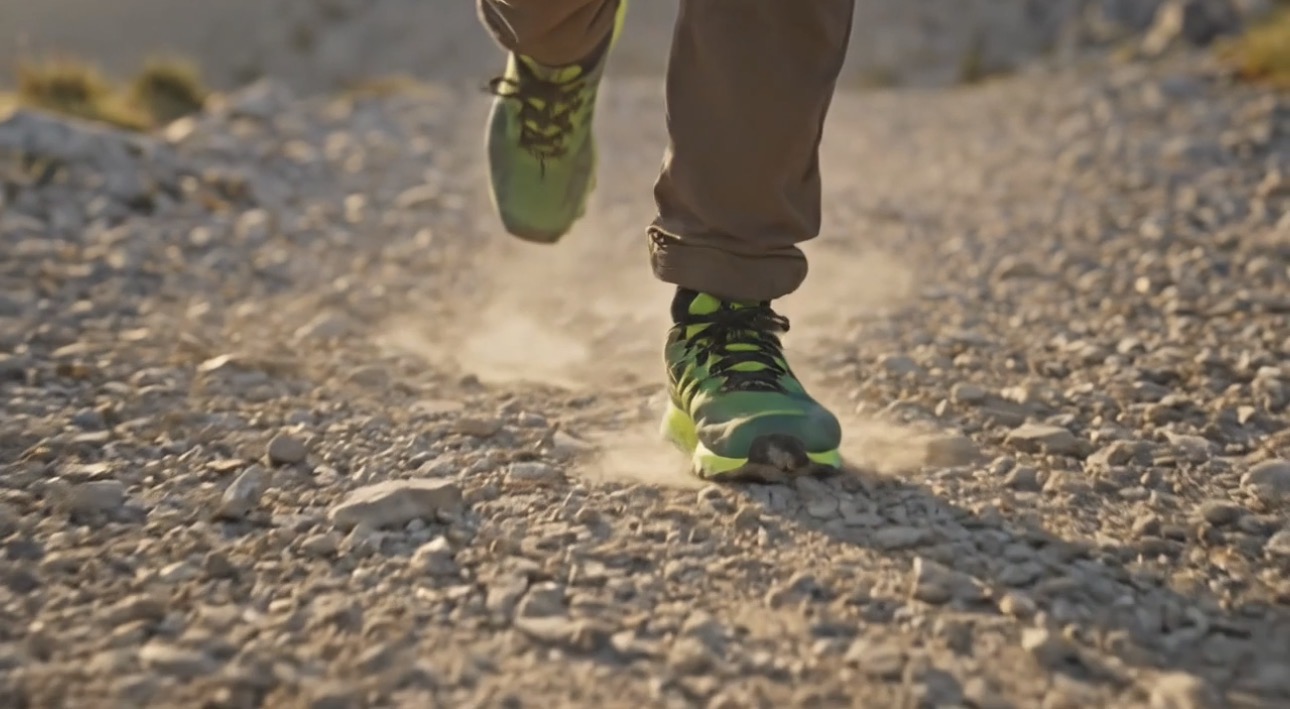
Low close-up tracking shot of the runner's shoes moving across dusty granite trail, natural stride, small bits of dust kicking up in warm alpine light. Keep it realistic, product-forward but not flashy. Shot on iPhone 16, cinematic but grounded.
Shot 3
Medium detail shot of a weathered carved pine trail sign reading "John Muir Wilderness." The runner briefly stops and checks on it with his hand, then moves on. Quiet, a little funny, natural outdoor realism, Sierra forest light, iPhone 16.
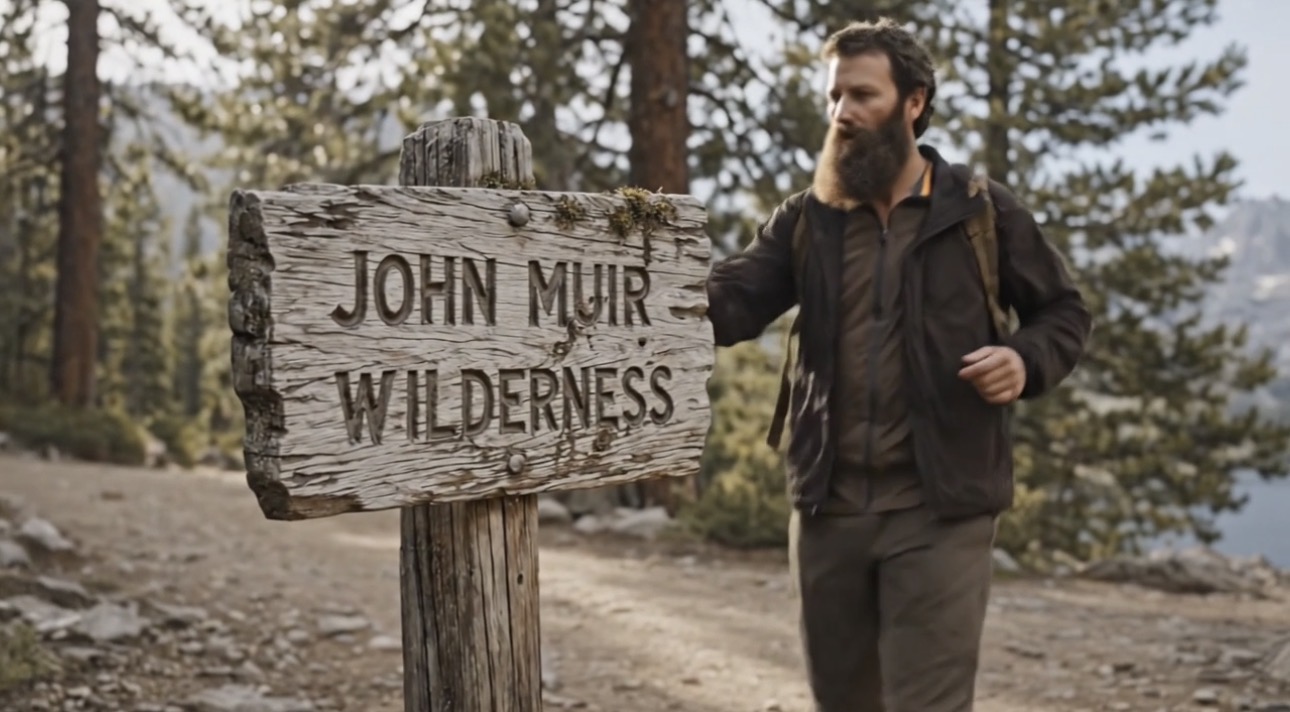
Now it feels like a sequence instead of one image being pushed around.
One thing worth noticing in those prompts: every shot specifies iPhone 16. That is not accidental. Naming specific camera equipment is subtle but it does real work. The model understands what footage shot on an iPhone 16 looks and feels like versus a cinema camera. It adjusts color science, grain, depth of field, and motion accordingly. You can push this further. Specify an iPhone 3 and the output starts to feel like it belongs to a different era. Mention a Super 8 or a Leica and the whole feeling shifts again. Camera equipment is a quiet way to dial in the look and even imply a time period without writing a paragraph about it.
A few more things that matter
Keep each shot simple. One clear action, one clear idea. Style, motion, subject, and lighting all fighting each other in one prompt is where things fall apart. Spread the complexity across shots instead.
Be specific about motion. "Make this into a video" is not a prompt. Tell it what is moving, what is staying still, what the camera is doing.
Iterate more than you think you need to. AI video is not one-prompt magic. Version twelve is usually the one. Budget for that.
Know what it is bad at. Text, fine details, spatial logic, consistency across long clips. Short and focused works best. Use it for mood, atmosphere, and simple sequences. Not for things it is not ready for yet.
Here is what this actually looks like when it comes together.
Quick checklist
- Gather references you made or curated, not random web pulls
- Build a single composite key frame from your references
- Write a short shot list, 3 to 5 shots max
- Prompt each shot separately with specific motion direction
- Iterate. Expect multiple tries per shot
- Cut to the best takes